 Nº 10
Nº 10– Bi-weekly Dispatch –
The Franz Telegraph
I tested the latest AI hype on my own inbox.
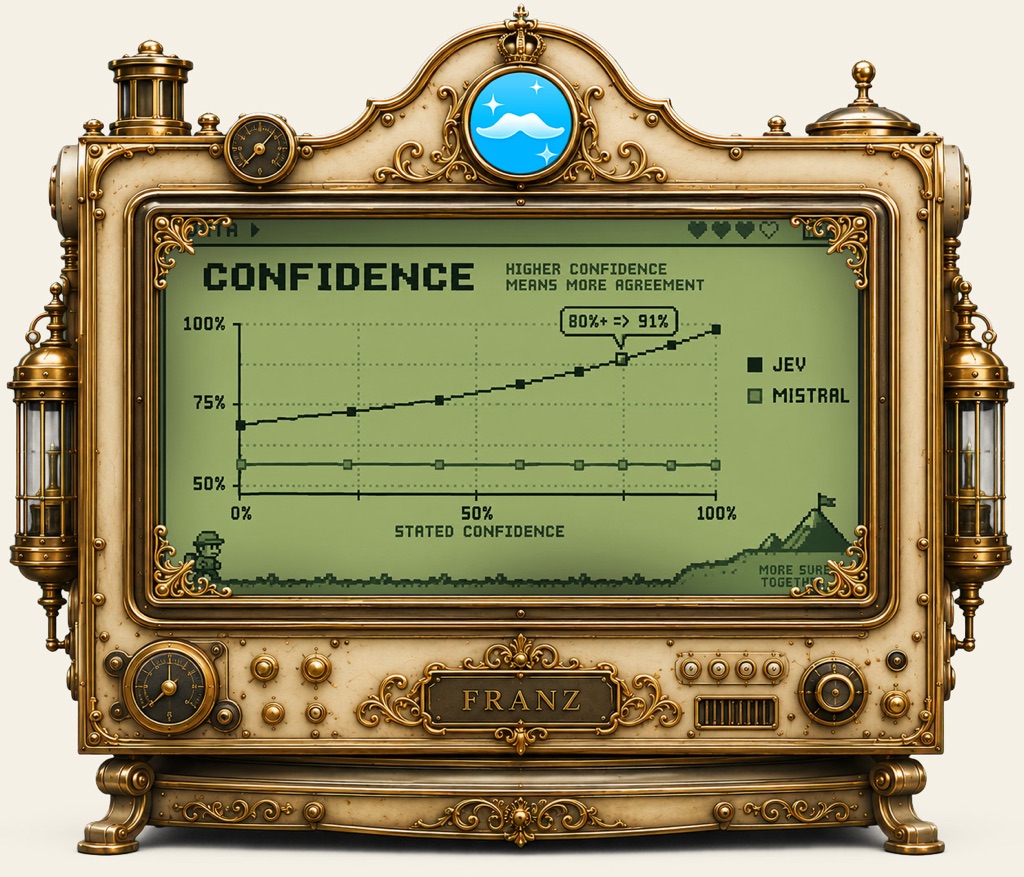
I tested the latest AI hype on my own inbox.
For a couple of weeks in September it felt like everyone was talking about decision models. TypeSafe AI launched one called Jev, and open-source ones followed soon after.
A decision model doesn't write text. It answers typed questions, each with a probability, in about a third of a second. Does this mail need a reply? Which priority fits? That's the kind of small decision Franz makes for you all day across your mail and chats.
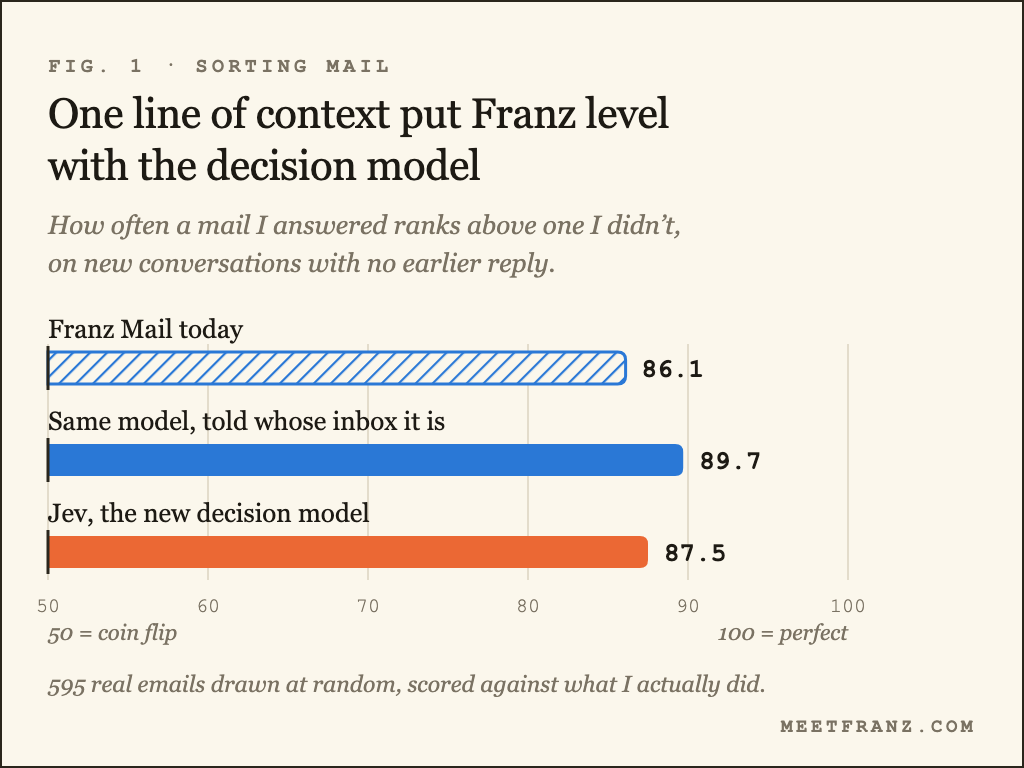
With every new model, the only question I care about is whether it makes Franz better for you. So I measured it on my own inbox. Every model was scored against what I actually did, e.g. whether I answered a mail, so no AI got to grade another AI. Jev went up against Mistral Small, the model Franz Cloud uses today, with a much bigger model as the reference.
The good news first: the AI Franz already uses kept up. When I asked it the same simple question, "do I need to reply to this?", it did as well as Jev.
There was also an easy win: Franz had never told its AI whose inbox it was sorting. With one extra line saying who I am, it got better at spotting the mails I need to answer: 90 out of 100 on new conversations, up from 86. Jev scored 88.
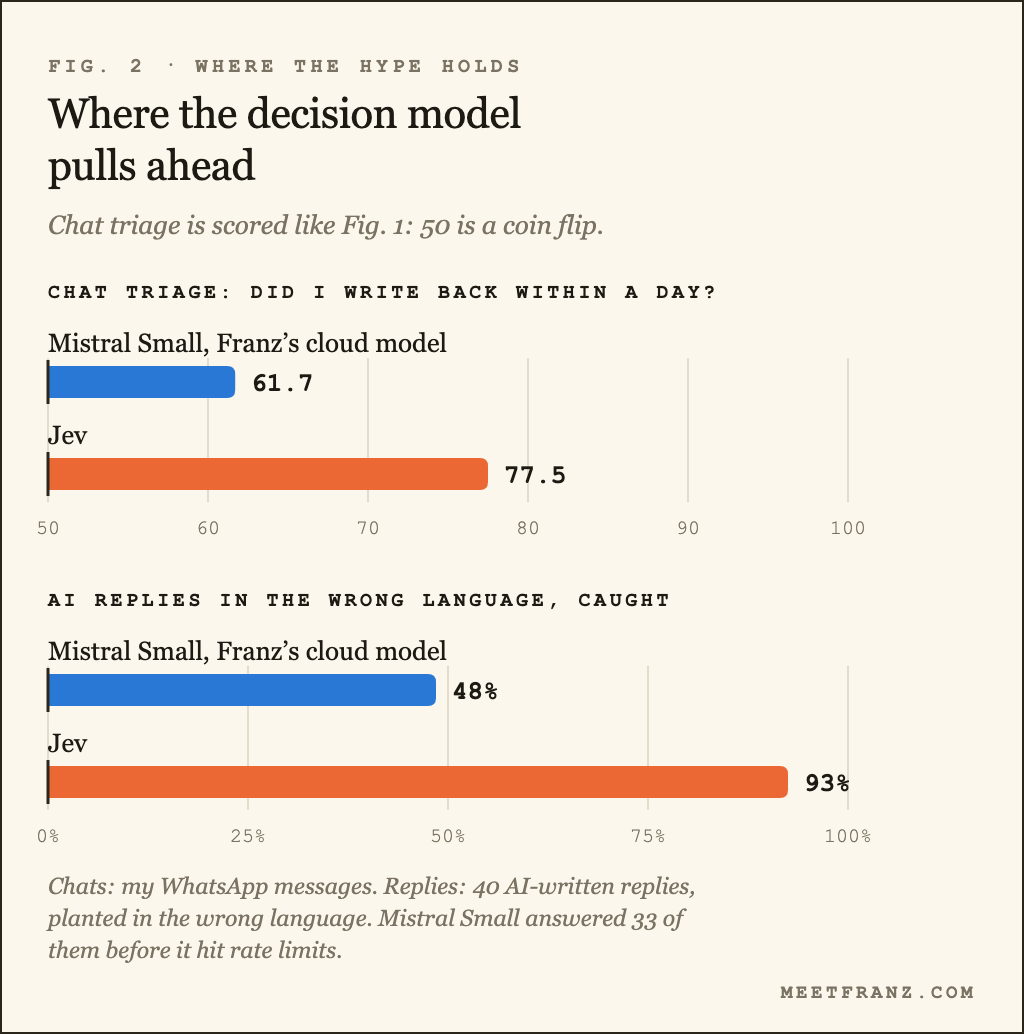
Decision models do pull ahead in a few places. They're much better at sorting chats, and at catching an AI-written reply in the wrong language. They also give you a confidence you can actually set a threshold on. Jev isn't consistent with itself yet, though. I asked it twice whether archiving a few thousand mails needs a confirmation, and it said yes once and no once.
So the test left me with a clear list of where Franz can get better for you, and a lot of it works with the model Franz already uses. You can do the same if you use AI at work: ask the question you actually care about, and tell it who you are. I test what's new in AI like this all the time, on my own mail first, and I keep an eye on where it's heading and what Franz can use from it.
The full write-up has all the charts, what really goes wrong when AI reads a deadline, and five things you can use in your own AI setup.
Did you know?
Both have been in Franz for a while, and both are easy to miss.
Split view. Keep two services side by side in one window, e.g. your inbox next to the chat the question came from, and check a detail in one while you answer in the other. Click the split view button in the header of any service, or press Cmd+T (Ctrl+T on Windows and Linux), then pick the second service. The second pane can be any website too.
Pop-out. Give a service its own window and move it to your second screen. It's handy for a work chat you want to keep an eye on while you focus on something else. Click Open in new window in the same header, and Bring back puts it where it was.
There's quite a lot more in there, from workspaces to the download manager.
Vote by return cable.
Last dispatch I asked what you do first when you sit down to work. Mail won, but only just, with your list and the calendar right behind it. Almost nobody starts with messages, and I didn't see that one coming.
After a month of decision-model headlines I'm curious where this readership actually stands.
The cable is always open. Reply to any dispatch, about anything, and you are writing straight to me.
– Stefan, founder of Franz